
Turn WordPress into Zoom Video Conferencing Platform
Zoomy is the Zoom WordPress plugin for video conferencing. Embed Zoom meetings, webinars, and recordings directly on your WordPress site with Zoomy. Easily add Zoom video conferencing to your pages, manage participants, and host professional online meetings with seamless Zoom integration in WordPress.
- WP shortcodes
- Design your page
- Gutenberg & Elementor
- Full Zoom features


Everything you need
Easily integrate Zoom on WordPress With Our Zoom WordPress plugin!
Effortless Zoom Integration
Easily connect Zoom meetings, webinars, and recordings to your WordPress Zoom Integration website with just a few clicks.

Seamless Embedding
Seamless Embedding: Instantly share the excitement by embedding Zoom Meeting content on any page of your website, hassle-free.

Engage Anywhere
Engage Anywhere: Bring your WordPress Video Conferencing Plugin directly to your audience, making it easy for them to join from any page on your site.
Zoom Meeting & Webinar Embed
Easily embed Zoom meetings and Webinars on any WordPress page or post using a simple Gutenberg block or classic editor — no coding required. The embedded page displays a countdown timer for scheduled meetings. Perfect for educators, businesses, and online event organizers. Here’s a step-by-step guide to set this up.

Use the Zoom Meeting Countdown
The embedded Zoom meeting page on your WordPress site displays a countdown timer in case the meeting is scheduled for a later date. Once the countdown is over, your users will be able to join the meeting directly from this page — making your WordPress Zoom integration seamless and hassle-free.

You Get All of Zoom’s Meeting Features on WordPress
- Lock the meeting & prevent unwanted access.
- Mute, remove, invite participants.
- Live chat & Polling
- Allow screen share for only the host or all participants.
- Request Remote Control.
- Closed Captioning.
- Webinar Q&A
- Zoom Breakout Rooms
- Gallery | Grid Meeting View
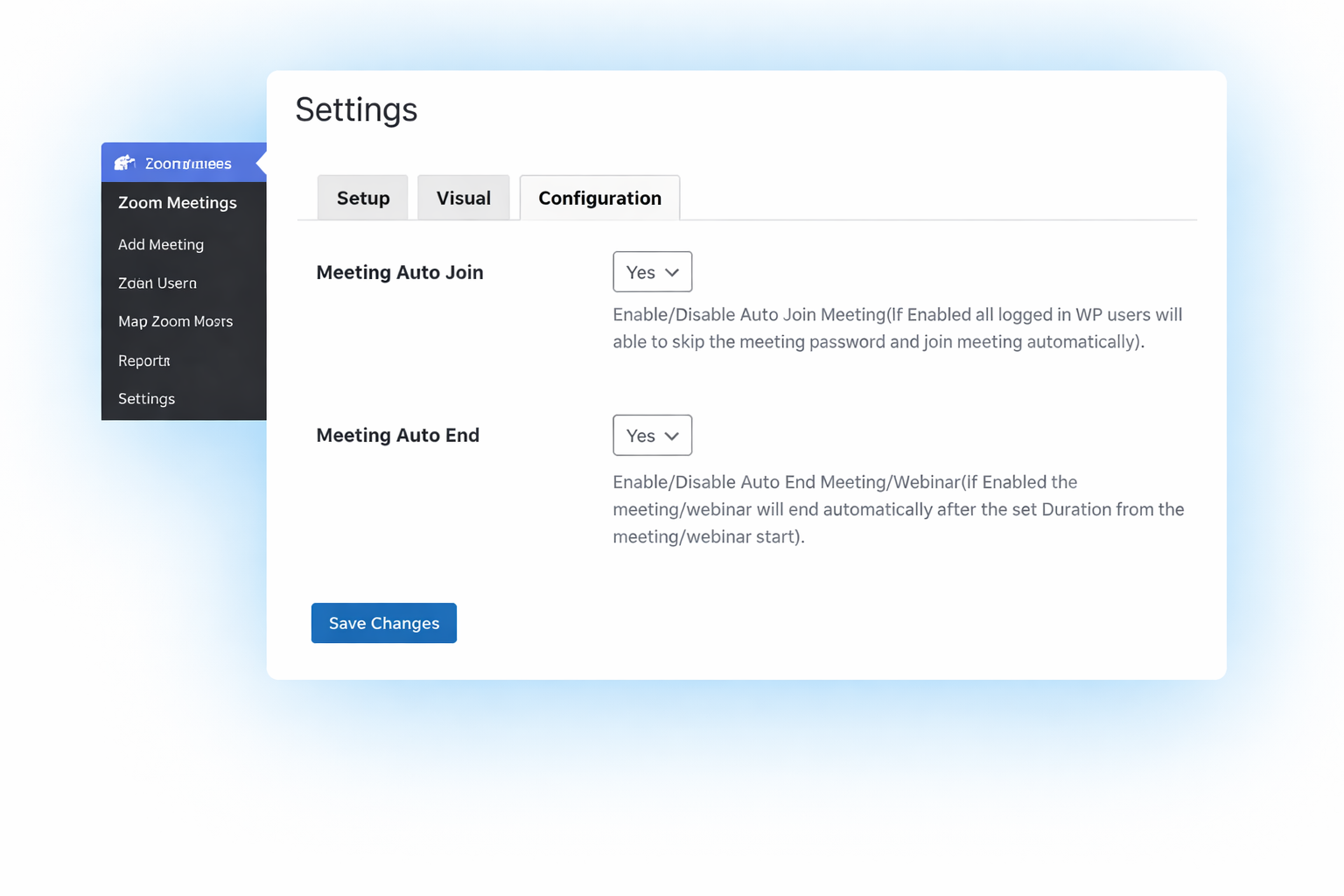
Auto Join & Auto End Meeting Mode
This WordPress Zoom integration plugin lets logged-in WP users join the Zoom meeting automatically on page load — perfect for a WordPress plugin for online classes or a virtual conference. You can also set the meeting to end automatically after the duration, ideal for any Zoom meeting shortcode WordPress workflow.
ADDITIONAL KEY FEATURES OF OUR Zoom WordPress plugin
Logged-in Users
Restrict access to the meeting page to users who are logged in to your site.
Multiple Hosts
Add multiple Zoom users to Zoomy to conduct meetings simultaneously.
Zoom Reports
View detailed meeting and participants’ reports for a specified period of time.
WP Roles
Set the Zoom Meeting host access by your WordPress site roles or/and/or capabilities.
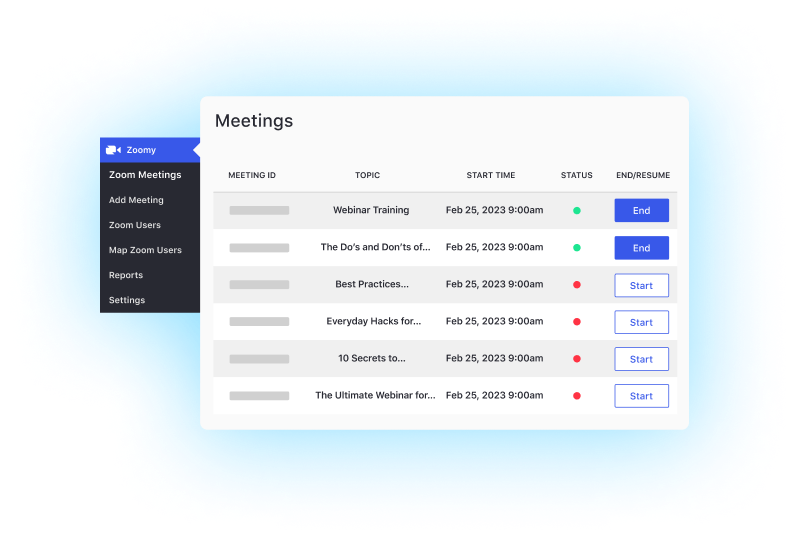
Manage All Your Meetings in Your WP Admin Area
View the Zoom Meetings under each of your Zoom hosts using the Zoom Plugin for WordPress. See the status of your meetings and start or end the meeting directly from the WordPress Zoom Integration dashboard.
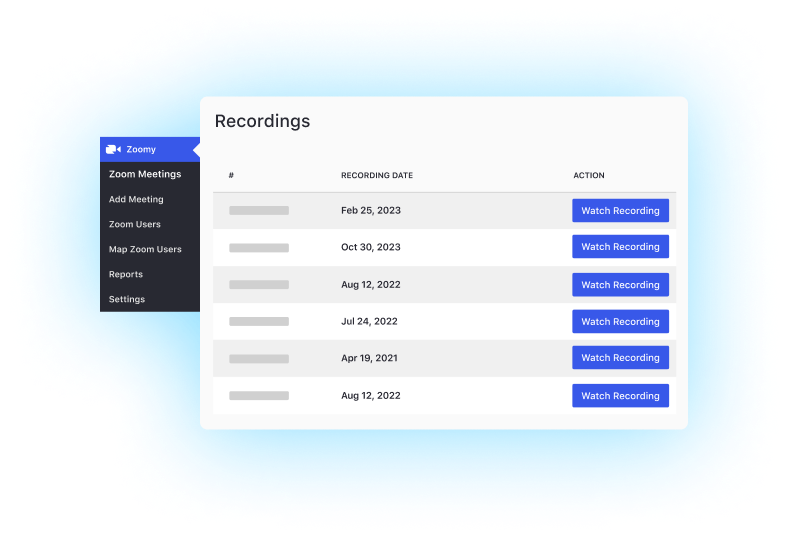
Watch Past Meeting Recordings
Once a meeting ends, the Zoom Cloud Recording will be available directly on your embedded Zoom meeting page in your WordPress site. The Zoom Plugin for WordPress automatically displays the latest recording, with options to view recordings up to 1 month old — making this WordPress Zoom integration truly seamless.
EXPAND ZOOMY WITH THESE ADDONS

Recurring Meeting
ZOOMY ADDON
Set up recurring Zoom meetings from your WordPress dashboard.

Instructor Role
ZOOMY ADDON
Allow instructors on your site to manage their own Zoom meetings

Monetize Meeting
ZOOMY ADDON
Monetize your Zoom Meetings with the Easy Digital Downloads plugin

Uncanny Automator
ZOOMY ADDON
Automate Zoom meetings or register attendees with meeting triggers and actions
Everything you need