
Uncanny Automator
+ WP Zoomy
Connect WP Zoomy with Uncanny Automator to create Zoom meetings or register attendees with meeting triggers and actions.
Setup
How it works
Connect WP Zoomy with Uncanny Automator in a few minutes, no code required.
Step 1
Install & connect
Install Uncanny Automator and Zoomy, then connect your Zoom API and assign a host ID to a WordPress user.
Step 2
Build a recipe
Create an Automator recipe with a Zoom trigger or action to manage meetings or attendees.
Step 3
Automate Zoom
Go Live. Automator uses WP Zoomy to create meetings or register attendees and continue your workflow.
Features
Features of Zoomy Automator Integration
Zoomy Automator Integration adds Zoom meeting triggers and actions to Uncanny Automator using your existing WP Zoomy connection.
01
Easy Recipe Setup
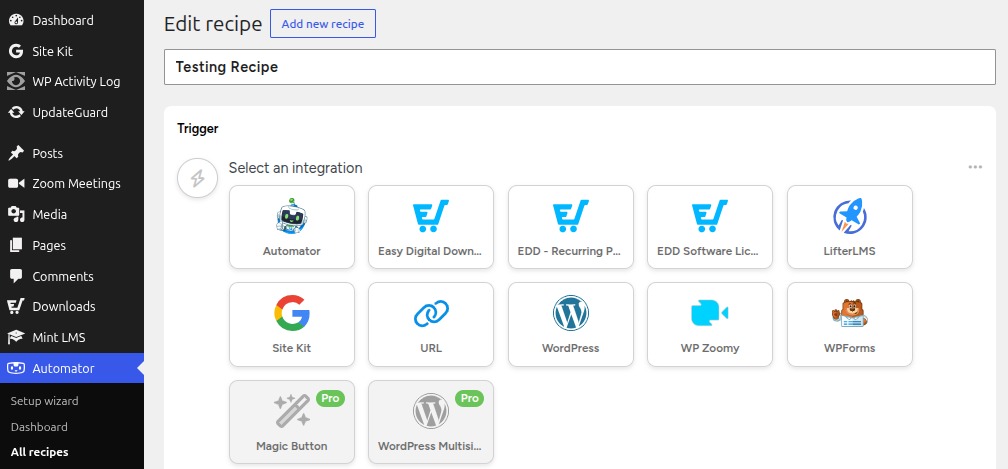
Once Automator and WP Zoomy are active, create a recipe and add Zoom triggers or actions.
02
Zoom Alongside Other Automator Integrations
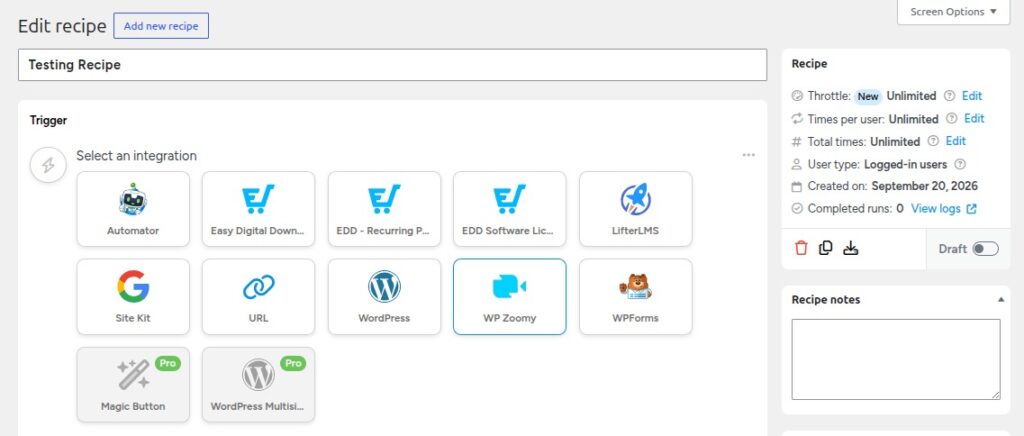
Zoom sits in Automator’s integration grid with your other apps, so you can mix triggers and actions in one recipe.
03
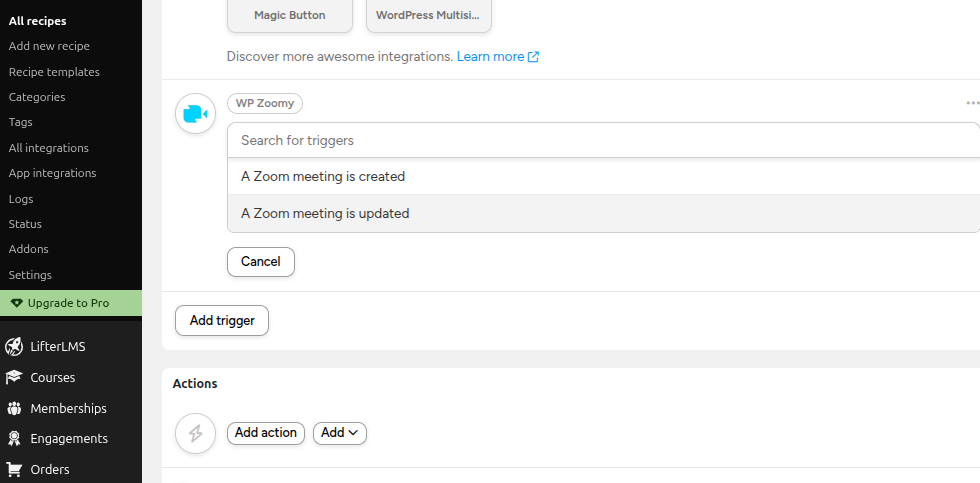
Two Zoom Meeting Triggers
Two triggers start a recipe when WP Zoomy creates or updates a meeting, passing Meeting ID, Topic, Join URL, Start Time, and Host ID.
04
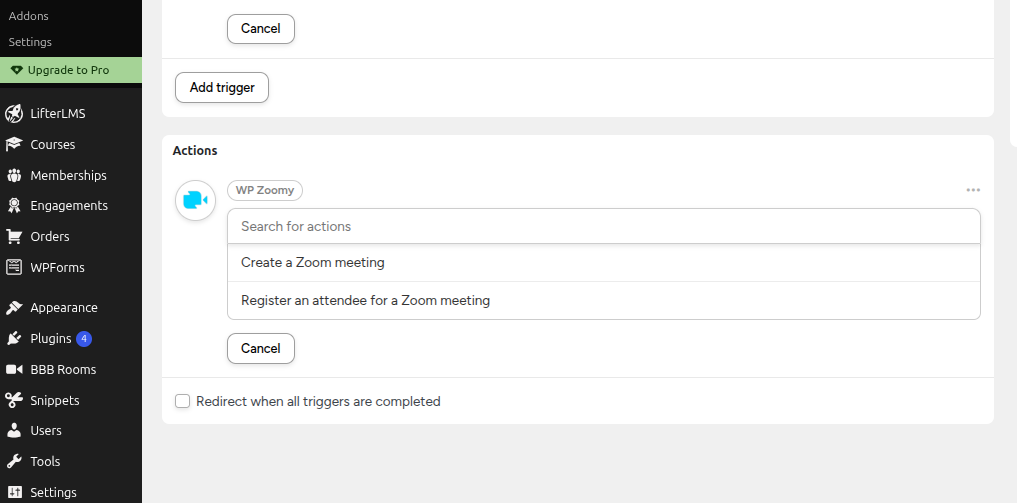
Two Zoom Meeting Actions
Two actions: create a Zoom meeting, or register an attendee. Both work in recipes that aren’t tied to a WordPress user.
05
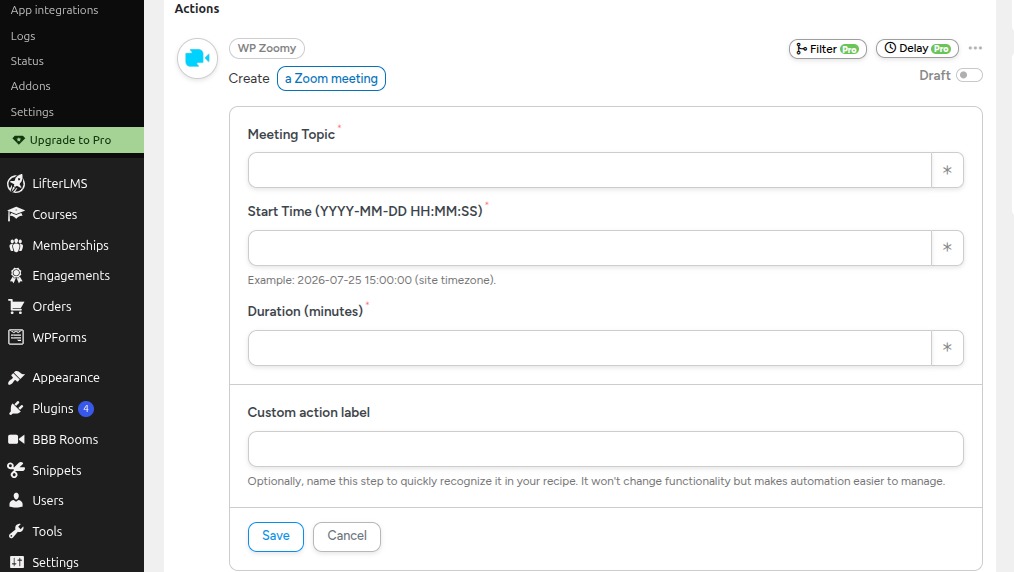
Create a Zoom Meeting
Set Meeting Topic, Start Time, and Duration (tokens and site timezone supported). Host comes from a WordPress user with a Zoom host ID; registration stays off.
06
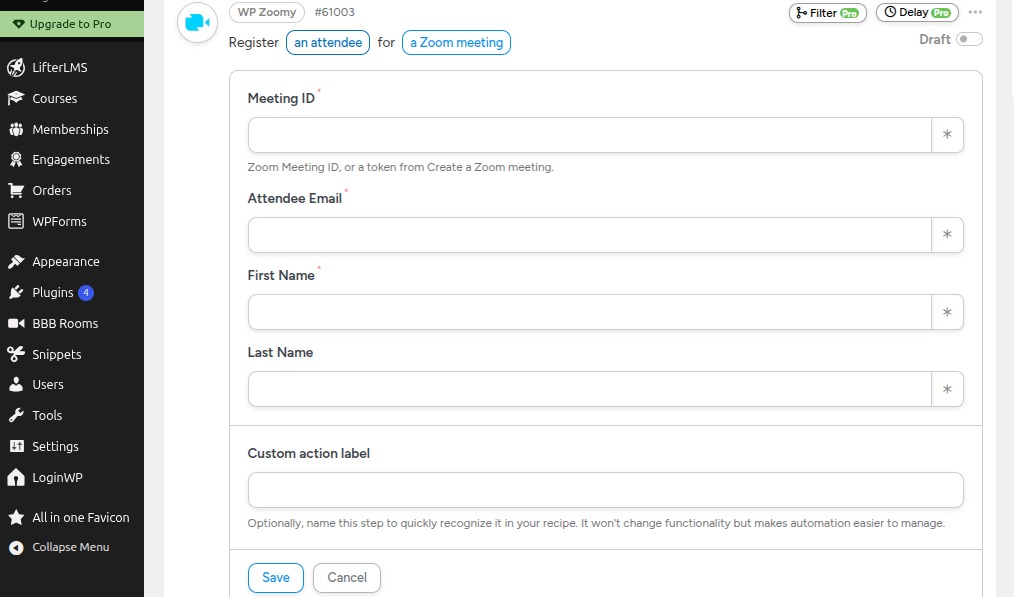
Register an Attendee
Register one person on a registration-enabled meeting. Needs Meeting ID, email, and first name. Zoom Pro or higher usually required.
Use Cases
Automate Zoom for your workflows
Run Zoom triggers and actions in Automator recipes for courses, events, memberships, and team alerts.

Online Course Workflows
When a student enrolls, create a Zoom meeting with WP Zoomy and email the join link with Automator tokens.

Live Event Workflows
When someone registers or submits a booking form, create a Zoom meeting and email the join URL with Automator tokens.

Member Community Access
When a member joins or buys access, register them on a registration-enabled meeting and email their join URL. Zoom Pro or higher required.

Registration on Signup
On form submit, purchase, or signup, register an attendee with Meeting ID, email, and first name on a registration-enabled meeting.

Team Meeting Workflows
When WP Zoomy creates or updates a meeting, notify your team by email or Slack with Automator tokens.

Custom Stacked Recipes
Combine Zoom with other Automator integrations like forms, LMS, memberships, ecommerce, and email in one recipe.
FAQ
Frequently asked questions
Got questions? Everything you need to know about the integration.
What plugins are required?
You need Uncanny Automator, WP Zoomy, and Zoomy Automator Integration installed and active. WP Zoomy must already be connected to your Zoom account.
Why is Create a Zoom meeting failing?
Check that Meeting Topic, Start Time, and Duration are filled in. At least one WordPress user needs a Zoom host ID in WP Zoomy, and your Zoom API credentials in WP Zoomy must be valid.
Why is Register an attendee failing?
The meeting must already have Zoom registration turned on. Zoom Pro or higher is usually required. Meeting ID, email, and first name must be filled in. Meetings created by the Create action do not turn registration on automatically.
What does Zoomy Automator Integration actually do?
It adds Zoom triggers (meeting created, meeting updated) and actions (create a meeting, register an attendee) to Uncanny Automator, using your existing WP Zoomy connection.
Is this the same as Automator’s own Zoom integration?
No. This plugin is for sites that already use WP Zoomy. It uses your WP Zoomy Zoom connection instead of Automator’s separate Zoom app.
Get started
Automate your Zoom meetings today
Connect WP Zoomy with Uncanny Automator to create meetings, register attendees, and react to updates. No code required.